

Description
Download SoftTote Data Recovery – Mac data recovery, file restore, free trial
Overview
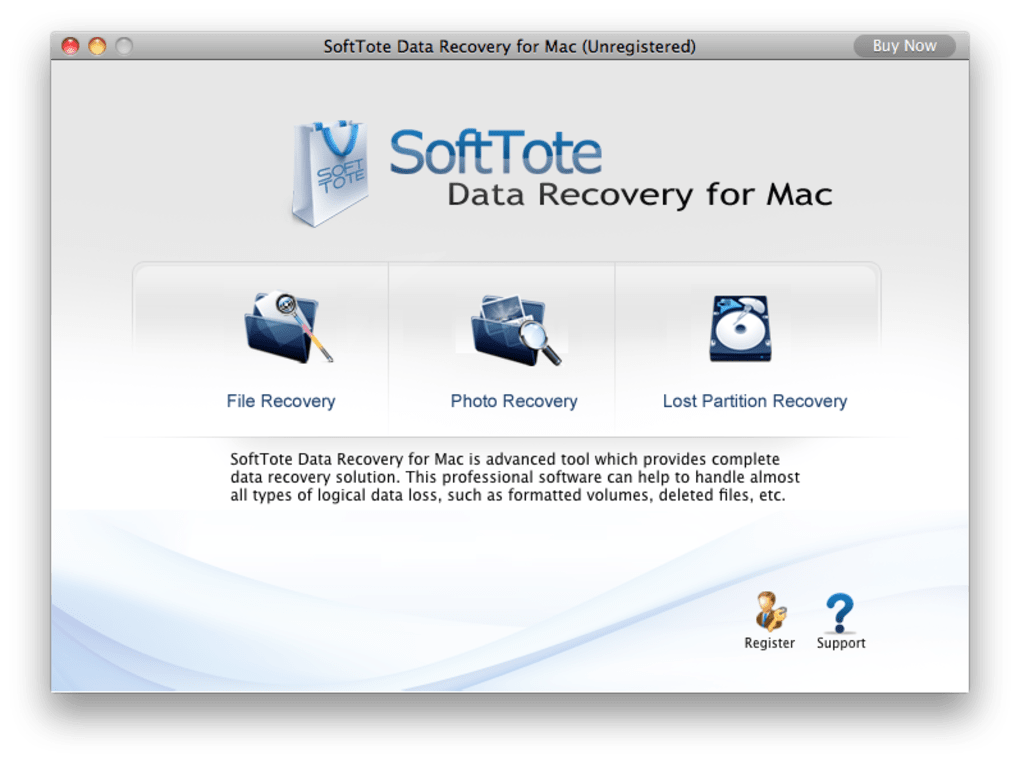
SoftTote Data Recovery for Mac is a professional, non‑destructive data‑recovery tool designed to bring lost files back to life on macOS devices. Whether you’ve accidentally deleted a crucial document, formatted a drive, suffered a virus infection, or experienced an unexpected power outage, SoftTote offers a reliable safety net. The software works with a broad spectrum of storage media – from internal SSDs and HDDs to external USB drives, SD cards, iPods, digital cameras, and even mobile phones. Its deep‑scan engine intelligently maps partition structures and locates both recently deleted items and those buried deep within corrupted volumes. While the scanning process can be intensive, the trade‑off is a higher chance of successful recovery. SoftTote supports the most common file‑system formats, including HFS+, FAT16/32, and NTFS, making it a versatile choice for mixed‑environment users. In addition to file recovery, the program provides a preview function so you can verify the integrity of files before committing them to a new location. Overall, SoftTote Data Recovery balances powerful scanning capabilities with an easy‑to‑use interface, making it suitable for both novice Mac owners and seasoned IT professionals.
Key Features
- Deep Scan Engine: Conducts intensive, sector‑level scans to retrieve data from deleted, formatted, or damaged partitions.
- Multi‑Device Support: Recovers files from internal drives, external USB/Thunderbolt drives, SD cards, iPods, cameras, and mobile devices.
- File‑System Compatibility: Works with HFS+, FAT16/32, NTFS, and APFS (read‑only) volumes.
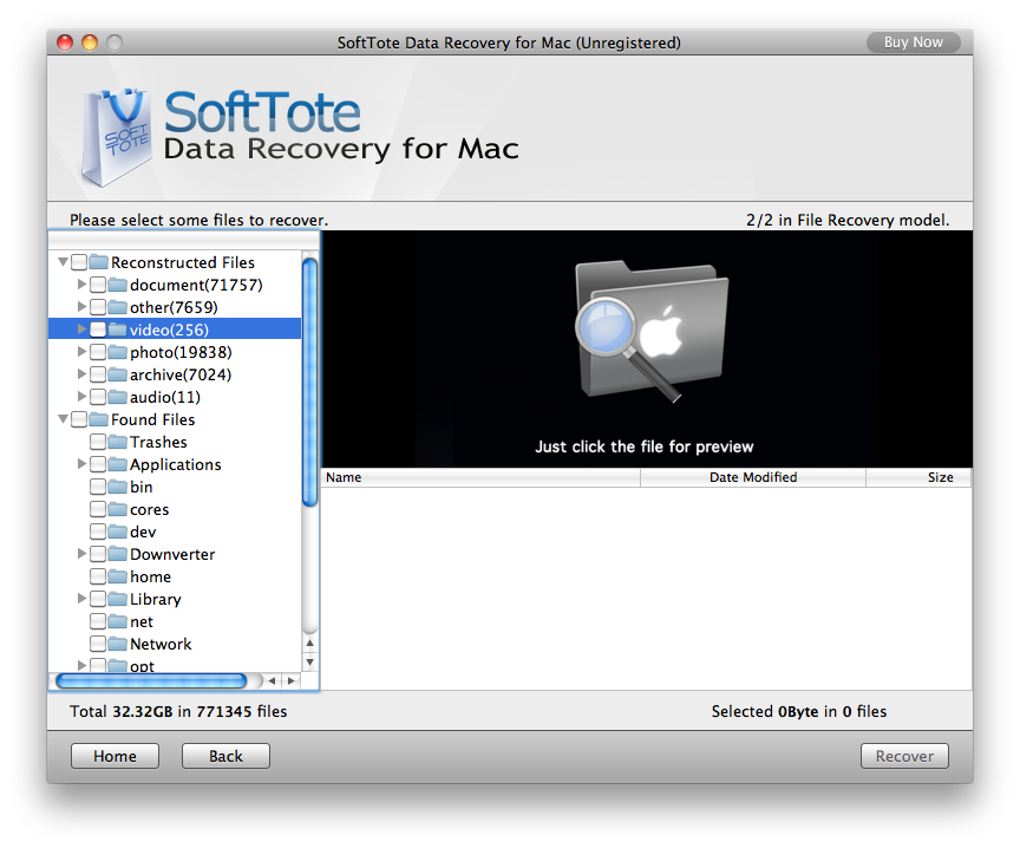
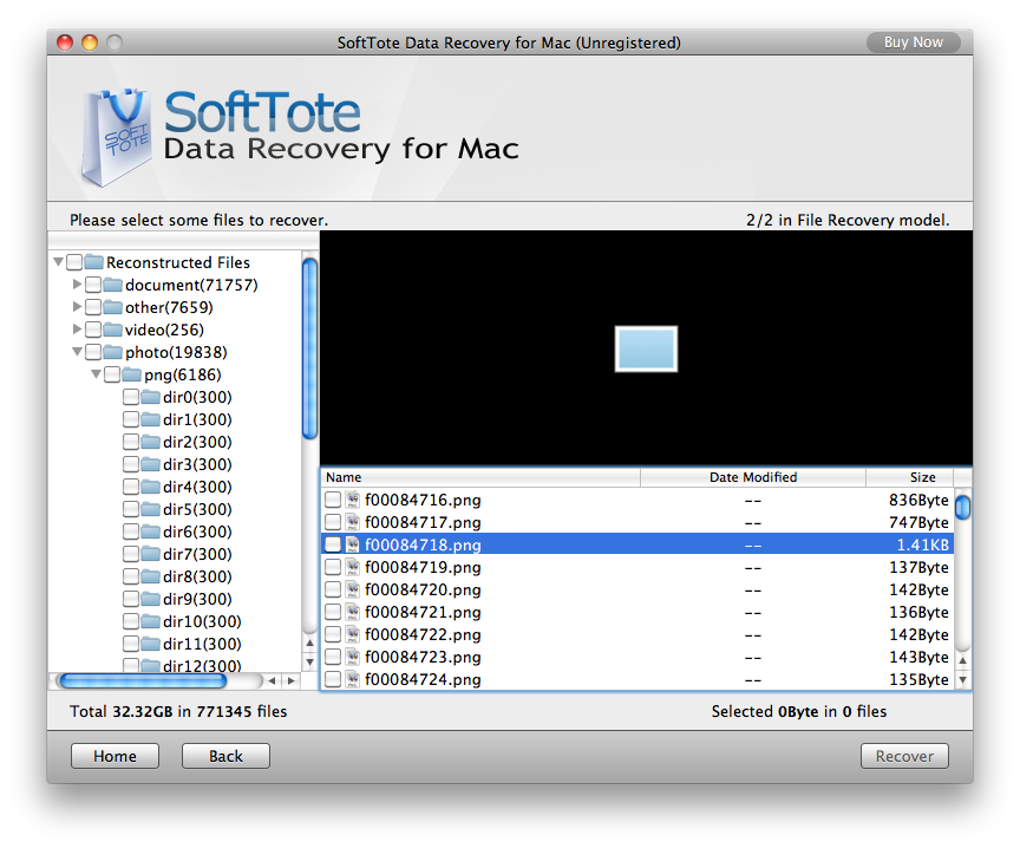
- Preview Before Recovery: Lets you view photos, documents, and media files to confirm they are intact before saving.
- Non‑Destructive Process: Operates without altering the original data on the source drive, preserving forensic integrity.
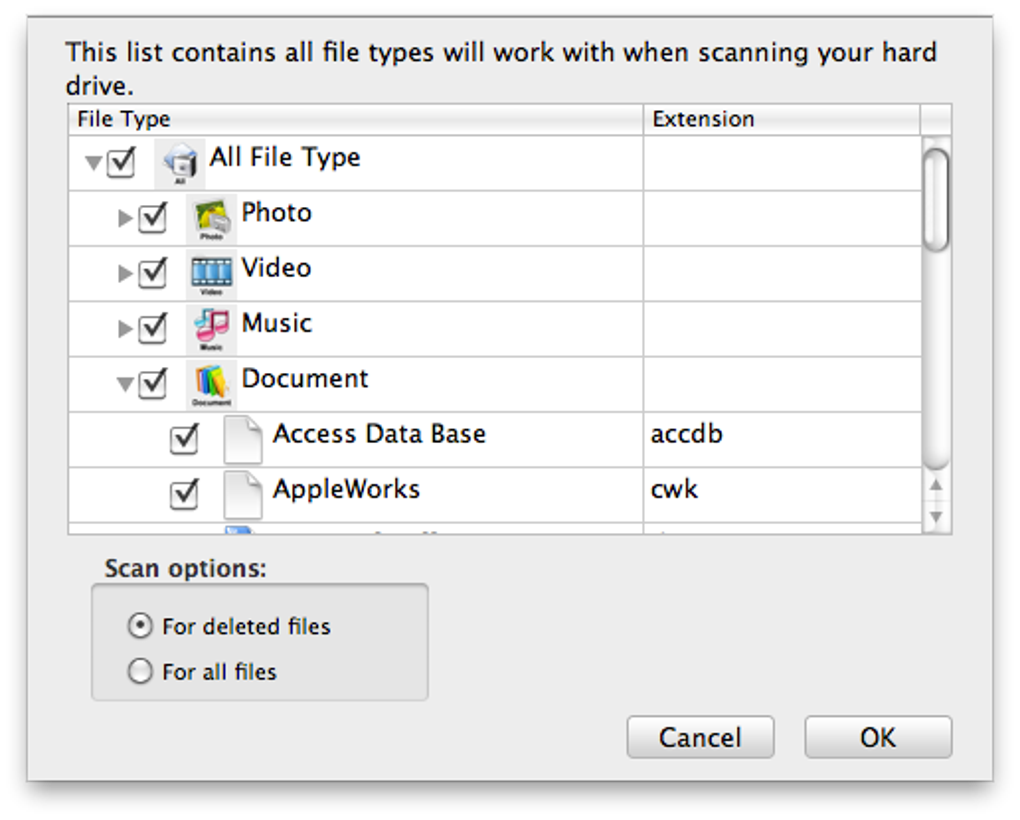
- Selective Recovery: Allows you to choose specific file types or folders, saving time and storage space.
- User‑Friendly Interface: Simple wizard‑style navigation suitable for beginners while still offering advanced options for power users.
- Secure Deletion (Optional): Offers a built‑in secure erase feature to permanently remove unrecoverable files.
Installation, Usage & Compatibility
Installing SoftTote Data Recovery on your Mac is straightforward. Begin by downloading the installer from the official SoftTote website. The file is a standard .dmg package that complies with macOS security standards. Double‑click the .dmg and drag the SoftTote icon into your Applications folder. The first launch will prompt you to grant Full Disk Access via System Preferences → Security & Privacy → Privacy tab; this permission is required for the software to scan low‑level sectors of your drives. Once granted, you can start a recovery session by selecting the drive you wish to scan from the main dashboard.
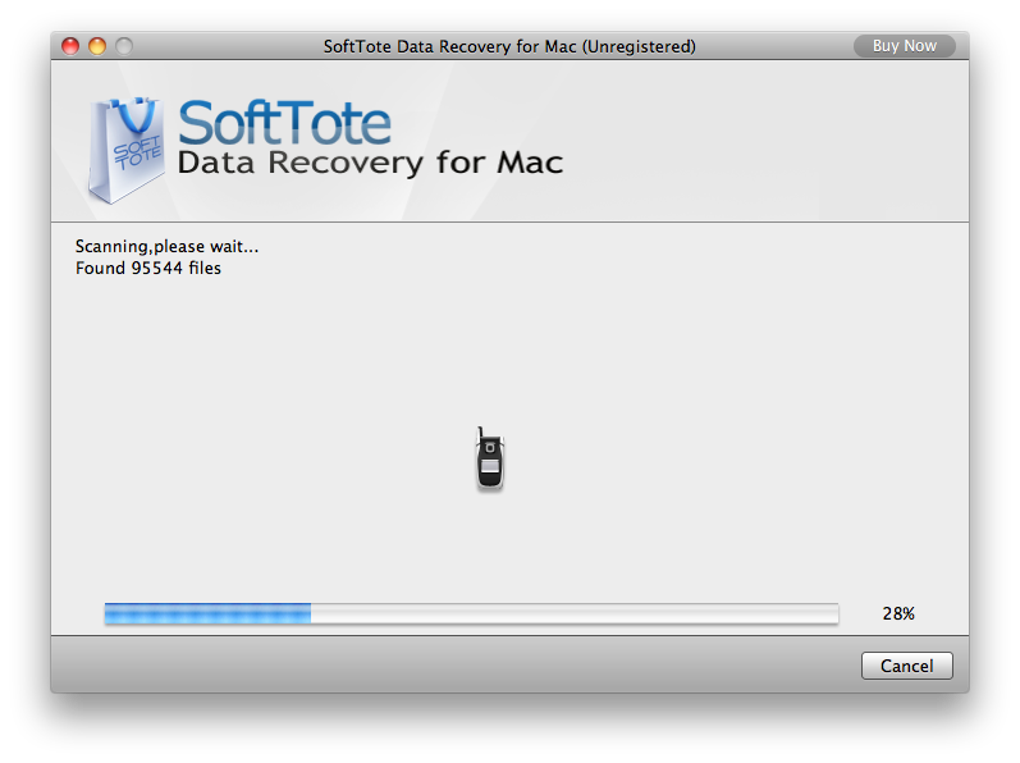
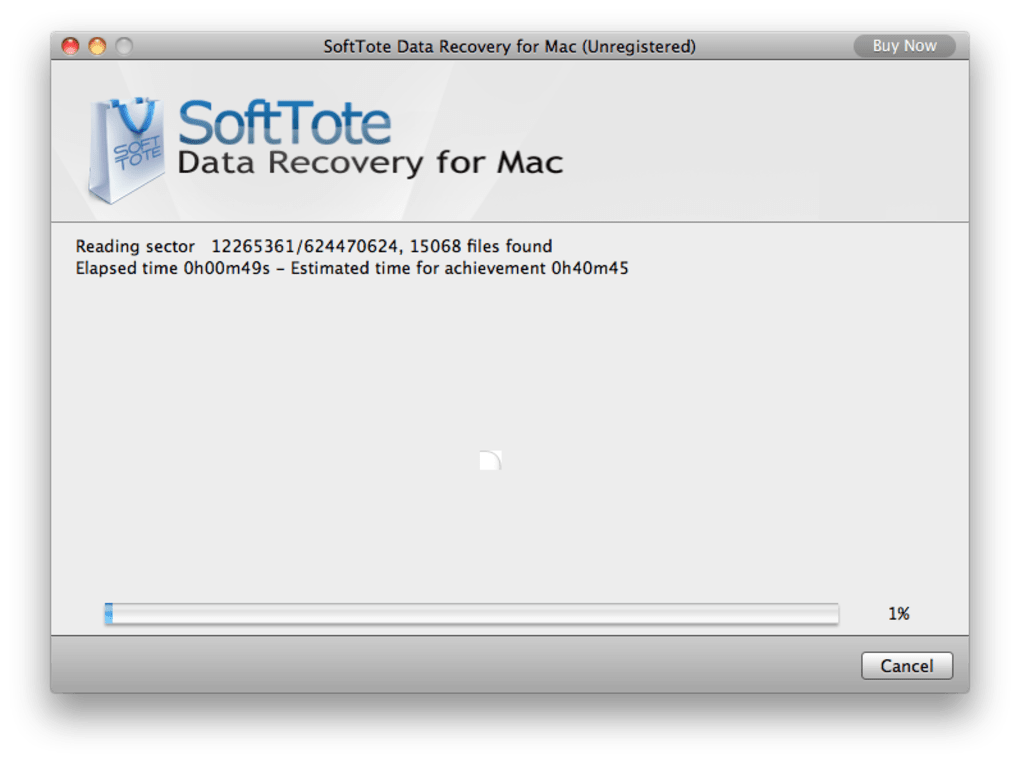
The scanning workflow offers three modes: Quick Scan (targets recently deleted files), Standard Scan (covers most lost data scenarios), and Intensive Scan (deep sector analysis for severely corrupted drives). After the scan finishes, results appear in a sortable list where you can preview each file. Use the checkboxes to select items for recovery, then choose a safe destination—ideally an external drive—to avoid overwriting the source media.
SoftTote Data Recovery is compatible with macOS 10.13 High Sierra and later, including macOS 12 Monterey and macOS 13 Ventura. The application runs natively on Intel‑based Macs and, thanks to Apple’s Rosetta 2 translation, also operates on Apple Silicon (M1/M2) machines without performance loss. For users who need cross‑platform support, SoftTote offers a Windows counterpart, but this article focuses exclusively on the macOS version.
Pros & Cons
Pros
- High success rate for recovering deleted, formatted, and corrupted files.
- Supports a wide range of file systems and storage devices.
- Non‑destructive scanning protects original data.
- Preview function reduces the risk of recovering unwanted files.
- User‑friendly interface combined with advanced options for power users.
- Secure deletion feature for privacy‑conscious users.
Cons
- Intensive scans can be time‑consuming, especially on large drives.
- No native support for APFS write operations (read‑only access only).
- The free trial limits the amount of data you can recover.
- Requires Full Disk Access, which may raise concerns for security‑sensitive environments.
- Pricing is higher than some basic free recovery tools.
Frequently Asked Questions
Can SoftTote recover data from an SSD that has been formatted?
Yes. SoftTote’s intensive scan can locate remnants of files on formatted SSDs, though success depends on whether the SSD’s TRIM function has already cleared the blocks. The earlier you run the scan after formatting, the better the chances.
Is the software safe to use on a drive that contains sensitive corporate data?
Absolutely. SoftTote operates in a read‑only mode and never writes to the source media, preserving forensic integrity. For extra security, you can run the program from a bootable macOS USB stick.
What file types can SoftTote recover?
SoftTote supports all common file extensions, including documents (DOC, PDF, TXT), images (JPG, PNG, RAW), audio (MP3, WAV), video (MP4, MOV), archives (ZIP, RAR), and many more. The preview feature works for most media types.
How much does the full version cost?
The full license is priced at $69.99 USD for a single‑user, perpetual license. Volume discounts are available for businesses and educational institutions.
Can I use SoftTote on a Mac that runs macOS Ventura?
Yes. The latest SoftTote version is fully compatible with macOS Ventura (13) as well as earlier releases back to macOS High Sierra.
Conclusion & Call to Action
SoftTote Data Recovery for Mac delivers a robust combination of deep‑scan technology, broad device compatibility, and a user‑centric design that makes data retrieval approachable for everyone. While the intensive scanning process may require patience, the payoff—restoring priceless photos, essential documents, and critical business files—is well worth the wait. Whether you’re a home user who accidentally erased a vacation album or an IT professional tasked with salvaging a corrupted server drive, SoftTote offers the tools needed to get the job done safely and efficiently.
Ready to give your lost files a second chance? Download SoftTote Data Recovery for Mac today, start the free trial, and experience the peace of mind that comes with a reliable recovery solution. Don’t let accidental deletions become permanent—act now and reclaim your data.
Pros: High recovery success, multi‑device support, non‑destructive scanning.
Cons: Longer scan times, limited free trial, higher price point.
Guides & Tutorials for SoftTote Data Recovery
How to install SoftTote Data Recovery
- Click the Preview / Download button above.
- Once redirected, accept the terms and click Install.
- Wait for the SoftTote Data Recovery download to finish on your device.
How to use SoftTote Data Recovery
This software is primarily used for its core features described above. Open the app after installation to explore its capabilities.
User Reviews for SoftTote Data Recovery 0
No reviews found





.webp)